
3.4 Right List Bar
The right side of the software is the file list area, which mainly displays items including platforms and model files, etc., and right-click operations can be performed on designated models (groups).
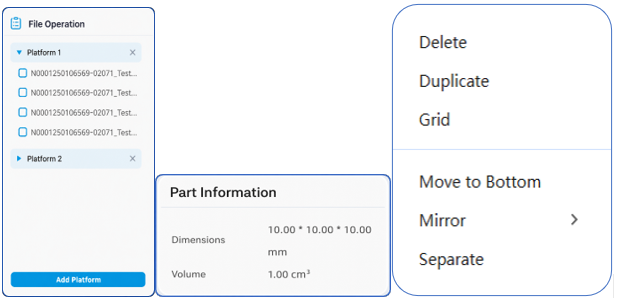
-Display platforms and model files on the platforms. When a designated platform is selected, the central 3D view will switch to display the platform and the model files within it;
-Display model information. After selecting a single model file, the model information will be displayed at the bottom of the right side, including size and volume, etc.;
-Right-click operation. After designating a model (group), right-clicking the mouse will pop up the "Delete", "Duplicate", "Select All", "Invert Selection", and "Move to" function options. The specific functions are as described above and will not be further explained here;
-Add platform operation. Clicking this allows you to add a new platform within the current software window.